
Writing your AI receptionist’s greeting and first questions
The greeting is the first thing every caller hears, and the first questions decide whether the call goes anywhere. How to write a short greeting, what to leave out, and which questions your AI receptionist should ask first.
Why the first ten seconds matter
Every caller hears your greeting, on every call. In those first seconds they decide whether they are in the right place and how to say what they need. A greeting that runs on makes them wait. A vague one makes them guess.
The questions that follow matter just as much. If the receptionist asks for the right things in a sensible order, a booking or a callback request takes a minute. If it asks for things you never use, or asks them in the wrong order, the caller gets impatient before anything useful happens.
What callers hear first on WiseUnit
On WiseUnit, the greeting is a short text you write in the receptionist’s settings. It is spoken word for word at the start of every call, so what you type is exactly what callers hear.
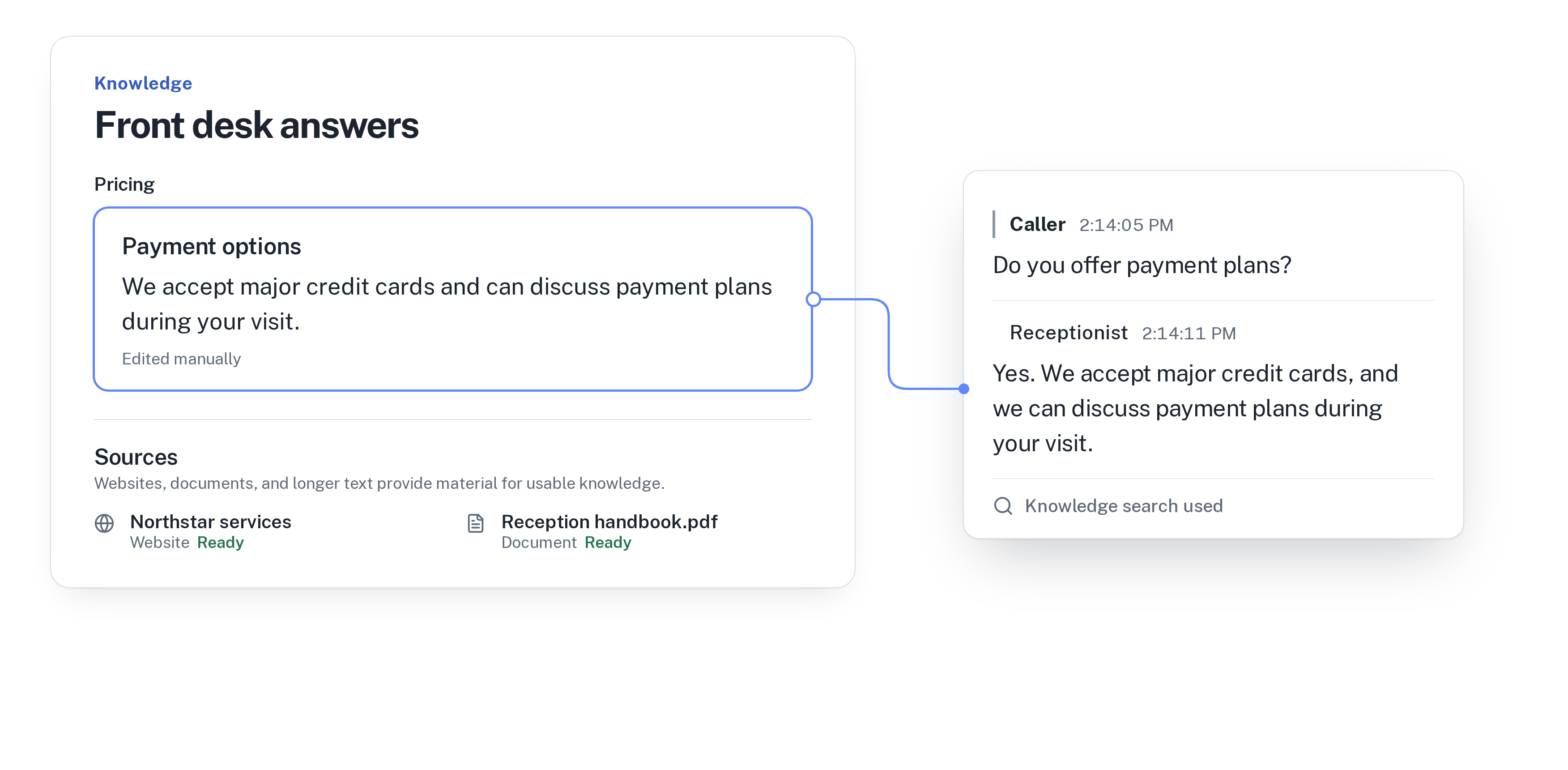
After the greeting, the receptionist follows the instructions you write: what it is responsible for, the tone it uses and when to offer a transfer to a person. Facts such as services, prices and opening hours don’t belong in either one. You add them as knowledge, from facts, website pages and documents you approve, and the receptionist answers from them when a caller asks.
That split keeps the greeting short. It doesn’t need to carry information, because the receptionist can answer questions as they come up.
For more on what goes into knowledge and instructions, read how to train an AI receptionist on your business.
A greeting that works
A good greeting is one or two sentences and does three things: names your business, tells the caller who they are speaking with, and asks one open question. Saying up front that this is a virtual receptionist sets expectations, so callers explain what they need in a full sentence instead of waiting for a menu. A few examples:
- An auto repair shop: “Thanks for calling [shop name]. You’re speaking with our virtual receptionist. What can I help you with today?”
- A dental practice: “Hello, you’ve reached [practice name]. I’m the practice’s virtual receptionist. How can I help?”
- A spa: “Thank you for calling [spa name]. This is the virtual receptionist. Are you calling about a booking or something else?”
What to leave out of the greeting
Most long greetings come from a voicemail habit: everything a caller might need, read out before they can speak. With a receptionist that can answer questions, you can drop most of it.
Leave out opening hours, your address, prices and current offers. Callers who need them will ask, and the receptionist answers from your knowledge. Leave out phone menus such as “press 1 for bookings”, because callers can say what they want. And leave out anything that changes often, so you don’t have to republish the greeting every time it does.
If you want callers to know the call is transcribed, the greeting is the place for one short line about it. Keep it to a single sentence so the open question still comes quickly.
The first questions to ask
What the receptionist asks next depends on what the caller wants. Write it into the instructions in plain words, one short rule per type of call. Ask for the reason first, because most callers start by explaining why they called. Then ask only for what you will use:
- Bookings: which service, a preferred day and time, and the caller’s name. If you book with Calendly or Cal.com, the receptionist also needs the caller’s email. It confirms the appointment only once the booking exists in Google Calendar, Calendly or Cal.com.
- Callback requests: the reason, a preferred callback time and a priority, so your team knows who to call first.
- Transfers: which calls should reach a person right away, for example a patient in severe pain during opening hours. Everything else can be a booking or a callback request.
- Anything else: questions the receptionist can answer from knowledge need no extra details from the caller.
Write it the way you would say it
Instructions work best when they sound like what you would tell a new colleague on their first day. For a dental practice, that might be: “Ask what the visit is for before asking for the patient’s name. Ask one question at a time. For check-ups, offer the next free slots. For pain or swelling, offer a transfer during opening hours and a callback request otherwise.”
Read the greeting out loud before you save it. If you run out of breath, it is too long. If it uses a word your callers wouldn’t use, such as an internal department name, replace it with the plain version.
Publish, call and check
Changes to the greeting and instructions stay in draft until you publish them, so you can edit freely without callers hearing a half-finished version. Once you publish, call your number from another phone and listen to the first ten seconds the way a customer would.
After the first week, read a few transcripts in the call history. Watch for callers who ask “is this a real person?”, repeat themselves after the greeting or drop off during a booking. Each of those points to one sentence in the greeting or instructions you can tighten. WiseUnit also collects unanswered questions from calls so you can turn them into answers to approve.
WiseUnit starts from €119 a month, or €99 a month on annual billing, excluding VAT, with 1,000 included minutes and unlimited receptionists.
For a short routine to do this every week, read a weekly 15-minute review of your AI receptionist’s calls.
Compare what each plan includes on the pricing page.
Frequently asked questions
How long should an AI receptionist greeting be?
One or two sentences. Name your business, say the caller is speaking with a virtual receptionist and ask one open question. Everything else can wait until the caller asks.
Does the receptionist say the greeting exactly as I write it?
Yes. On WiseUnit, the greeting is spoken word for word at the start of every call.
Where do opening hours and prices go?
In knowledge, as facts, website pages or documents you approve. The receptionist answers from them when a caller asks, so the greeting can stay short.
Can I change the greeting later?
Yes. Edit it in the receptionist’s settings. The change stays in draft until you publish it, and callers hear the new greeting from then on.