
How to train an AI receptionist on your business
What “training” an AI receptionist really involves: the facts to write first, which pages and documents to add, how to write instructions, and how to close gaps from real calls.
What “training” actually means
When people hear “train an AI receptionist”, they often picture data scientists and weeks of work. In practice it is closer to briefing a new person at your front desk. You tell it what your business does, what callers usually ask, what the right answers are, and when to hand a call to someone on your team.
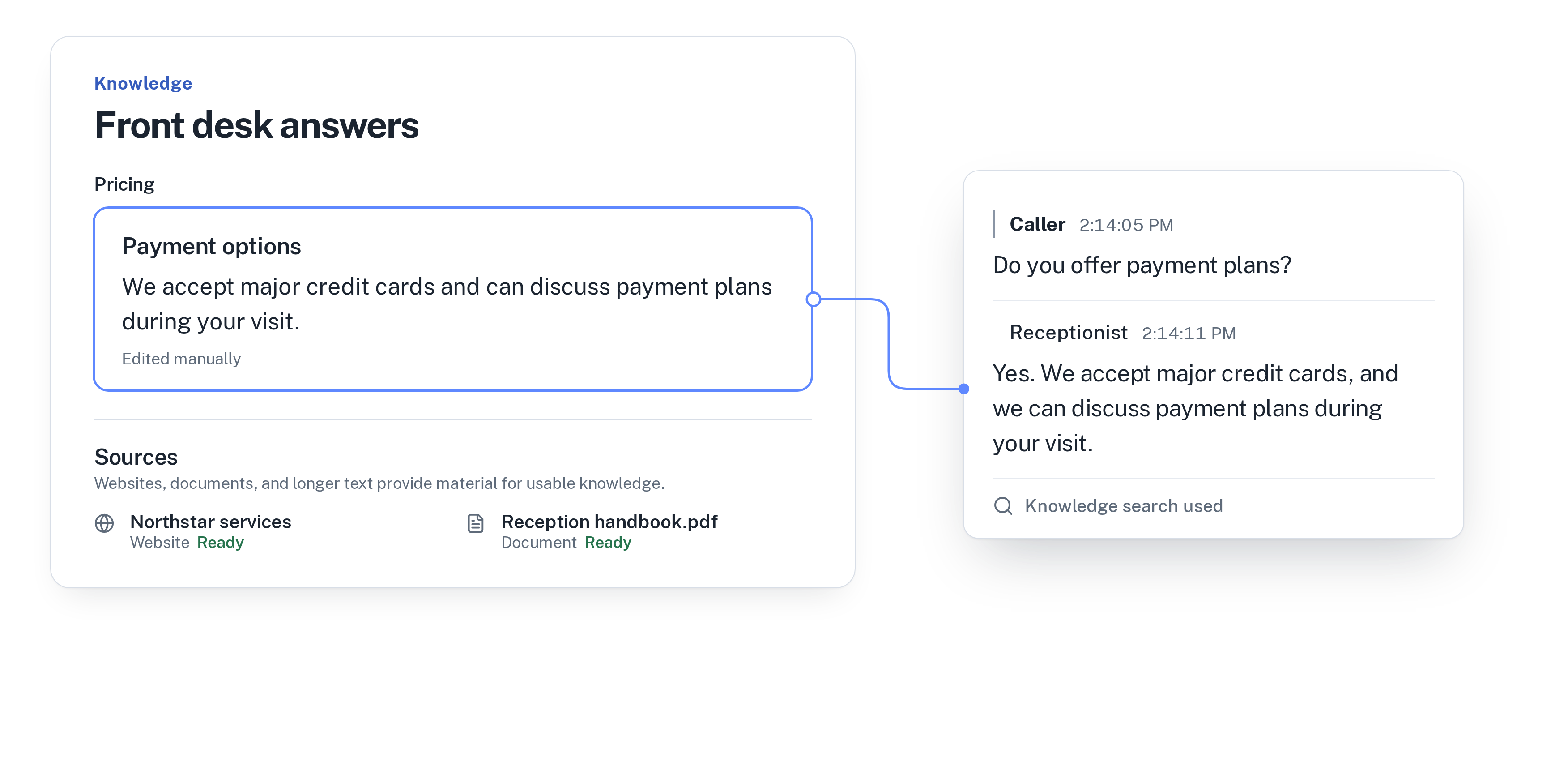
In WiseUnit that briefing has two parts. Knowledge is what the receptionist knows: facts you write, website pages and documents you add and approve. Instructions are how it behaves: what to ask, how to handle each type of call and what it must never do. Get both right and the receptionist sounds like it works for you.
Start with the questions callers really ask
Don’t start by uploading everything you have. Start with a list. Ask whoever answers your phone today to write down the questions they hear most often, in the words callers use. “Do you take walk-ins?” is more useful than “Appointment policy”.
For most businesses the same handful of topics covers the bulk of calls: opening hours, location and parking, prices, payment options, cancellation rules, the area you serve and how to book. Those are the first answers to write.
Write the key facts in your own words
For every question on your list, write a short, direct answer the way you would say it on the phone. Callers hear these answers read aloud, so plain sentences work better than tables or marketing copy.
- Be specific. “We’re open Monday to Friday, 8 AM to 6 PM, and Saturday mornings until noon” beats “We have flexible hours”.
- Say what you don’t do. If you don’t offer payment plans or don’t serve a certain area, write that down, so callers get a clear no instead of a vague answer.
- Keep one answer per topic. Two slightly different cancellation rules in two places is how confusing answers happen.
- Include the next step. If a quote needs a site visit, say so, and say how the caller can arrange one.
Add website pages and documents
Once the key facts are in place, add the material that holds the detail: your service pages, a price list, a reception handbook or a policy PDF. WiseUnit uses these as sources, and the receptionist answers from what you approve.
Check what you add. An old price list or a page about a service you’ve stopped offering will be used just like current information. If a document is out of date, update it or leave it out.
Write instructions for how it should behave
Knowledge covers what to say. Instructions cover how to handle the call. Write them as you would for a new hire on their first day.
If you are setting up from scratch, the full order of steps is in our AI receptionist setup checklist.
- What to ask on each type of call, for example name, phone number, what the job is and which day suits them.
- When to put a caller through to your transfer number, and whether transfers are allowed after hours.
- When to take a callback request instead, with the reason, the preferred callback time and a priority.
- What it must never do, such as promise a price it doesn’t know or give advice you’d only give in person.
Test it before callers hear it
In WiseUnit, changes to instructions and knowledge stay in draft until you publish them. Use that. Call your number and ask the questions from your list, including the awkward ones: a caller who is upset, one who asks for something you don’t offer, one who wants a person straight away.
Listen for answers that are right but too long, and for questions where it says it will pass the message on although the answer should be there. Fix the fact or instruction, test again, and publish when the calls go the way you want.
Keep training it from real calls
The first version will miss things, because callers always ask something nobody thought of. That is where most of the training happens.
Every call is saved with a transcript, a summary and its confirmed outcome. WiseUnit also collects the questions the receptionist couldn’t answer and turns them into suggested answers for you to approve. A few minutes a week reviewing those, plus a glance at call analytics, keeps the receptionist current as your prices, hours and services change.
When something changes in your business, change it in WiseUnit the same day. A new holiday schedule or a price update takes a minute to edit and publish.
You can see how knowledge and call review work on the AI Receptionist page.
Frequently asked questions
Do I need technical skills to train an AI receptionist?
No. In WiseUnit you write facts and instructions in plain language and add website pages and documents. If you can brief a new employee, you can train the receptionist.
What happens when a caller asks something it doesn’t know?
It answers only from the information you approve. When the answer isn’t there, it says it will pass the question on, and depending on your rules it transfers the call or records a callback request. The question also shows up for you to answer and approve.
Will callers hear my changes while I’m still editing?
No. Changes to instructions and knowledge stay in draft until you publish them, so you can test first.
How much does it cost?
WiseUnit plans start at €119 a month excluding VAT, or €99 a month on annual billing, with unlimited receptionists on every plan.