
How an AI receptionist books appointments into your calendar
What happens on a booking call, step by step, which calendars WiseUnit connects to and how to set it up so bookings land where you expect.
Why booking is the call that matters most
For many businesses, the most valuable phone call is the one that ends with a date in the calendar. A clinic, a salon, a garage or a consultancy can lose that call in a few ways: nobody picks up, the caller gets voicemail and books elsewhere, or someone writes a time on a sticky note that never reaches the calendar.
An AI receptionist that books appointments answers every call and puts the appointment straight into the calendar you already use. The part worth understanding is how it does that without double-booking you or promising a time that doesn’t exist.
What happens on a booking call
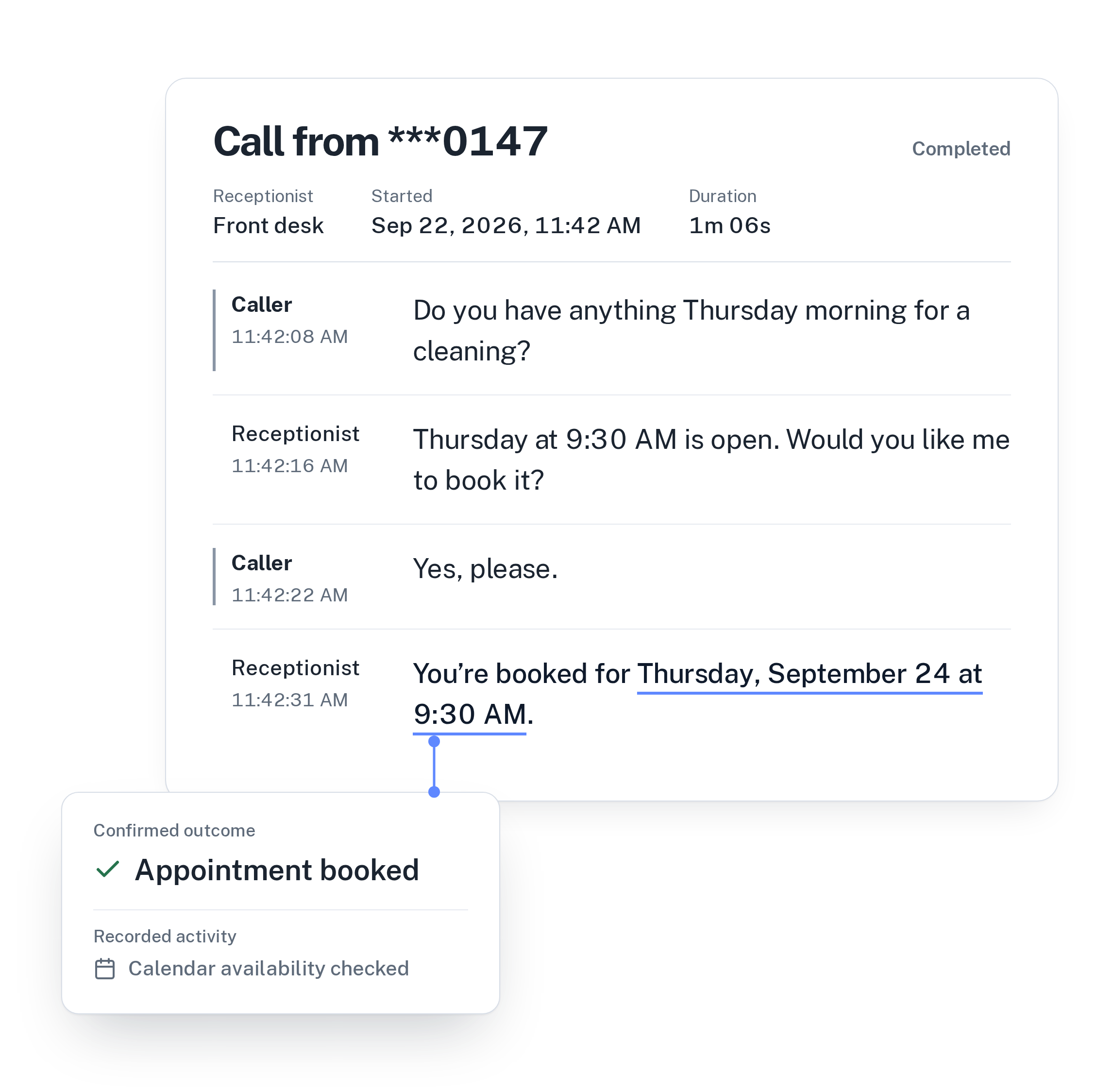
Here is a typical call with WiseUnit, from the caller’s first sentence to the confirmation.
- The caller asks for an appointment. They might name a day (“Thursday morning”) or just ask for the next opening.
- The receptionist checks real availability in your connected calendar for that day, or looks for the next free slot when the caller is flexible. It doesn’t guess a time.
- It offers the times the calendar returned, and the caller picks one.
- It collects the details the booking needs: name, phone number, the reason for the visit and, for Calendly and Cal.com, an email address.
- It books the selected slot and tells the caller the appointment is confirmed only once the booking exists in your calendar.
Confirmed means booked
The most important rule is the last one. Saying “you’re booked” is easy; making sure the appointment is actually there is the hard part. WiseUnit only offers times that came back from the calendar check, and only confirms once the calendar has accepted the booking.
If the time was taken a moment earlier, or the calendar can’t be reached, the caller isn’t told they are booked. The receptionist can offer another time or take a callback request with the reason and the caller’s preferred time, so someone on your team can follow up.
Which calendars it connects to
WiseUnit books into the tools small businesses already run their schedules on:
Because Calendly and Cal.com need an email address, the receptionist asks for it as part of the booking. See how the AI receptionist works for the full picture.
- Google Calendar: you choose which calendar the receptionist books into.
- Calendly: books an event type; needs a paid Calendly plan and the caller’s email.
- Cal.com: books an event type; needs the caller’s email.
How to set it up so bookings land right
Connecting the calendar takes a few minutes. Getting good bookings depends on what you tell the receptionist around it.
- Keep your calendar honest. The receptionist books into the free time it finds, so block lunch breaks, holidays and time you don’t want booked.
- Say what can be booked. In the instructions, describe which requests should become an appointment and which shouldn’t, for example a first consultation versus an emergency.
- Decide what to ask. Name, phone and reason are collected for every booking. Add anything else you need to the instructions, such as a vehicle model or a pet’s name.
- Plan for changes. If a caller wants to move or cancel an existing appointment, have the receptionist take a callback request so your team handles it.
- Test it. Call your own number, book a slot, and check that it appears in the right calendar with the details you expect.
What you see afterwards
Every booking call appears in the call history with a transcript, a summary and the confirmed outcome, so you can see which calls became appointments and read exactly what was said. Questions the receptionist couldn’t answer during a call show up as suggestions you can turn into approved answers, which helps the next caller.
Changes to the instructions stay in draft until you publish them, so you can adjust how booking works without callers hearing a half-finished setup.
Is it worth it for your business
If a meaningful share of your calls are people trying to book, an AI receptionist that books into your calendar pays off quickly, especially in the evenings and at weekends when nobody is at the desk. WiseUnit plans start at €119 a month excluding VAT, or €99 a month on annual billing, with unlimited receptionists on every plan.
Getting ready to set one up? Work through the AI receptionist setup checklist.
Compare plans and included minutes on the pricing page.
Frequently asked questions
Can the AI receptionist double-book me?
It only offers times returned by a live check of your connected calendar, and it confirms only once the calendar has accepted the booking. If a slot was taken in the meantime, the caller isn’t told they are booked.
Why does it ask callers for their email?
Calendly and Cal.com bookings need the caller’s email address. With Google Calendar, the receptionist collects the name, phone number and reason for the visit.
Can it book outside business hours?
Yes. WiseUnit answers every call 24/7, so a caller at 10 p.m. can book into a free slot the same way as a caller at 10 a.m.
Which languages can callers book in?
Each receptionist speaks one language: English, German, Italian, French, Spanish, Polish or Turkish. Create one per language you serve; every plan includes unlimited receptionists.