
Website chat: your AI receptionist now answers online too
Some customers call, others type. WiseUnit’s website chat lets your AI receptionist answer visitors on your site from the same approved knowledge, book appointments and take callback requests, while your team can step in at any time.
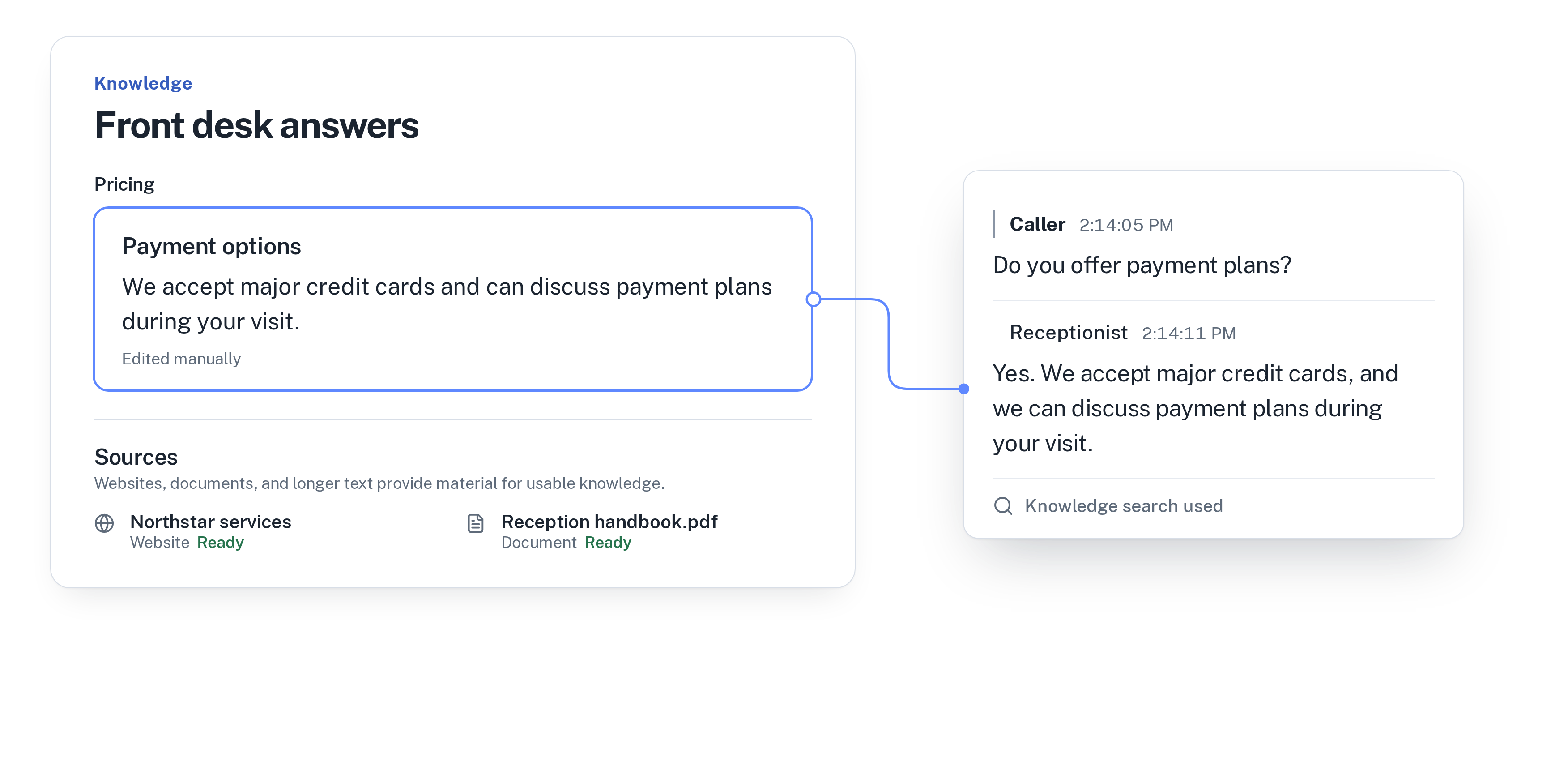
Some customers call, others type
A phone number on your website works for people who like to call. Many don’t. They are at work, on a train or browsing late in the evening, and they want to type a quick question: do you have time on Saturday, how much is a check-up, is there parking.
If the only options are calling or filling in a contact form, a lot of those questions never get asked. The visitor closes the tab and tries the next business in the search results.
WiseUnit already answers your phone around the clock. Now the same receptionist can answer your website visitors too, in a chat window on your site.
What the website chat does
The chat is connected to one of your receptionists and works from what that receptionist already knows. In practice, a visitor can:
- Ask a question and get an answer from the facts, website pages and documents you added and approved.
- Book an appointment into Google Calendar, Calendly or Cal.com. The chat confirms only once the booking exists.
- Leave a callback request with the reason, a preferred callback time and a priority, when the matter needs your team.
- See from the first message that they are chatting with an AI assistant, with a link to your privacy page if you add one.
One receptionist, two ways to reach you
A website visitor has no phone number attached, so before booking or recording a callback request the chat asks for a name and a phone number or email. Calendly and Cal.com bookings need an email in any case.
Because the chat uses the same knowledge as your phone receptionist, you maintain one set of answers. Add a new price or change your opening hours once, approve it and publish. Changes stay in draft until you publish them, and then both the phone and the chat use them.
Questions the receptionist couldn’t answer on calls are collected as unanswered questions, so you can turn them into answers to approve. The fewer gaps there are, the better both channels get.
If you are setting up that knowledge for the first time, start with how to train an AI receptionist on your business.
Your team can step in at any time
Every website conversation appears in Messages in the WiseUnit app, labelled with the widget it came from. You can read along while the AI replies.
If a conversation needs a person, press Take over. The AI stops replying and you write to the visitor yourself; your messages appear in their chat window. When you are done, hand the conversation back to the AI or mark it as resolved.
This works well for the questions an AI shouldn’t settle alone, such as a custom quote, a complaint or a special request for a group booking.
Setting it up
You create the chat in the WiseUnit app under Settings, then Website chat. The settings are short:
- A name for the widget, and which receptionist answers it.
- A greeting and an accent colour, with a live preview.
- The websites it is allowed to run on, so nobody can copy your code onto another site.
- An optional link to your privacy page.
- A daily limit on AI replies, to keep usage predictable.
Adding it to your website
The app gives you one line of code. Paste it into your website, on any site builder or CMS that lets you add a script to your pages, and the chat button appears in the corner.
Nothing is stored before a visitor sends the first message. If a visitor closes the chat and a reply arrives later, the chat button shows a badge with the number of new messages.
When the daily AI reply limit is reached, visitors can still write. Their messages reach your inbox, and your team is told once so you can reply yourself or raise the limit.
Try it before you set it up
The chat button on wiseunit.ai is this same website chat, answering questions about WiseUnit from our own approved knowledge. Ask it something about plans or setup, then ask for something it can’t know, and see how it handles both.
Website chat runs in the same WiseUnit account as your phone receptionist. It is an add-on for €39 a month, or €396 a year, on the Starter and Business plans, and it is included in Scale. Plans start from €119 a month, or €99 a month on annual billing, with unlimited receptionists on every plan. All prices exclude VAT.
Compare what each plan includes on the pricing page.
For what happens when the chat or a call ends in a request for your team, read callback requests: getting messages you can act on.
Frequently asked questions
Does the website chat know the same things as my phone receptionist?
Yes. Each chat is connected to one of your receptionists and answers from the facts, website pages and documents you approved for it.
Can visitors book appointments in the chat?
Yes, into Google Calendar, Calendly or Cal.com. The chat asks for a name and a phone number or email first, and confirms only once the booking exists.
Can my team reply in the chat themselves?
Yes. Conversations appear in Messages, where you can take over from the AI, reply to the visitor, hand the conversation back or mark it as resolved.
Do visitors know they are talking to an AI?
Yes. The chat says so in its first message, together with a link to your privacy page if you add one.
What does website chat cost?
It is an add-on for €39 a month, or €396 a year, on the Starter and Business plans, and it is included in Scale. Prices exclude VAT.
How do I add the chat to my website?
Create it in the WiseUnit app, list the websites it may run on and paste the one line of code into your site.